

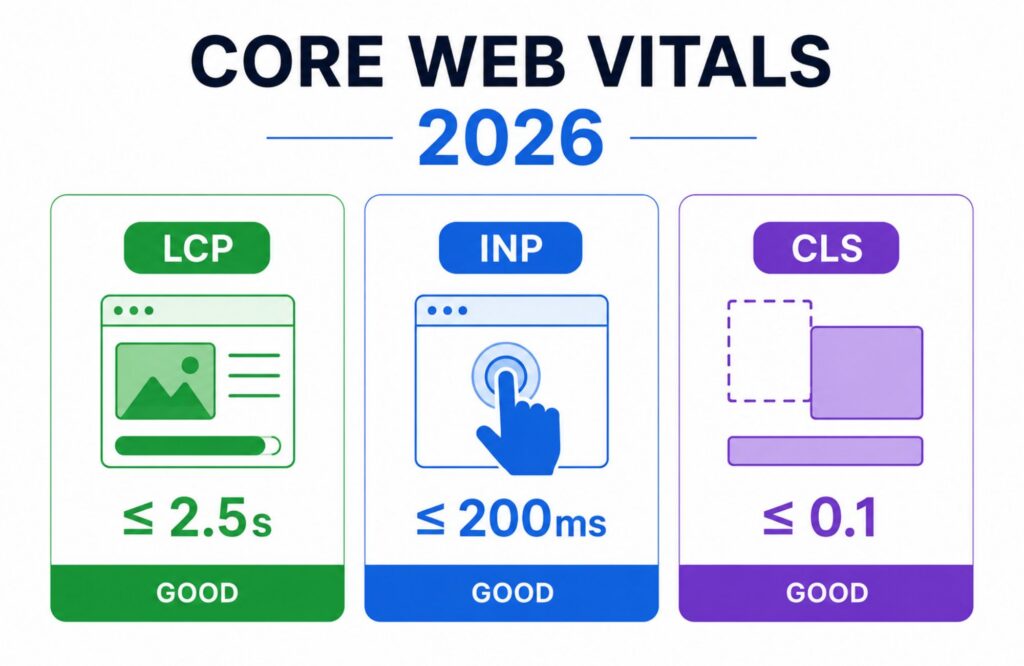
Core Web Vitals 2026 remain one of the most important ways to measure website performance and user experience. While they are not the only ranking factor Google uses, strong Core Web Vitals can help improve search visibility, increase user satisfaction, reduce abandonment, and support more inquiries from your website.
In this guide, you’ll learn what Core Web Vitals are, why they matter for small businesses, how Google evaluates them, what scores you should target in 2026, and how to prioritize improvements that support both search performance and business growth.
What Are Core Web Vitals in 2026?
Core Web Vitals are Google’s primary website performance metrics that measure loading speed, responsiveness, and visual stability. Core Web Vitals are the subset of Web Vitals that apply to all web pages, should be measured by all site owners, and are surfaced across Google’s tools, with each one representing a distinct, measurable facet of real-world user experience. Google uses these metrics as part of its page experience signals to understand how actual users experience a web page.
The three Core Web Vitals metrics in 2026 are:
| Metric | Measures | Good Score |
| Largest Contentful Paint (LCP) | Loading performance | 2.5 seconds or less |
| Interaction to Next Paint (INP) | Responsiveness | Under 200 milliseconds |
| Cumulative Layout Shift (CLS) | Visual stability | Less than 0.1 |
Google evaluates these metrics using real user data collected through the Chrome User Experience Report (CrUX). Real User Monitoring (RUM) data, also known as field data, captures the performance experienced by a site’s actual users, and this is what Google uses to determine whether a site meets the recommended Core Web Vitals thresholds. This means your Core Web Vitals scores reflect how actual visitors experience your website rather than how it performs in a controlled testing environment.
For business owners, Core Web Vitals function as a practical measurement of website quality. A fast website that responds quickly and remains visually stable creates a better experience for visitors and supports stronger business outcomes.
Why Did Google Replace First Input Delay?
First Input Delay (FID) measures the delay between a user’s first interaction and the browser’s response. While useful, it only captured a single moment during the user journey.
Interaction to Next Paint (INP) replaced First Input Delay in March 2024 because it measures responsiveness across the entire visit. Google’s Chrome team announced that INP officially became a Core Web Vital, replacing FID, on March 12, 2024, with FID deprecated in the transition. Instead of focusing only on the first click, INP evaluates how quickly a website responds throughout a session. This change gives Google a more complete picture of actual user interaction.
For example:
- A user opens a service page
- Scrolls through content
- Clicks an FAQ
- Opens a contact form
- Submits an inquiry
INP measures responsiveness across all those actions. For small businesses, this is particularly important because slow forms, booking tools, quote calculators, and third-party widgets often create delays that frustrate visitors.
Why Do Core Web Vitals Matter for Small Businesses?
Core Web Vitals matter because they directly affect how people experience your website.
Many business owners focus only on rankings. Rankings matter, but visitors still need a positive experience once they arrive.
A website may rank well and still lose potential customers because:
- Pages load slowly
- Buttons respond slowly
- Forms freeze
- Layout shifts cause accidental clicks
- Mobile performance is poor
Google has repeatedly stated that content quality remains more important than any single performance metric. However, when multiple pages provide similar information, page experience can influence which result performs better. According to Google’s Search Central documentation, Core Web Vitals align with what Google’s core ranking systems seek to reward, alongside other page experience aspects.
For local businesses, even small delays can affect conversion rates. Consider a plumbing company running local SEO campaigns. If visitors click from search results and the contact form takes several seconds to respond, some users will leave before submitting an inquiry.
The same applies to:
- Dental clinics
- Law firms
- HVAC companies
- Accountants
- Real estate agencies
- Restaurants
- Home service businesses
A better user experience often leads to:
- More inquiries
- More phone calls
- Higher engagement
- Better lead quality
- Stronger conversion rates
Core Web Vitals work best when combined with:
- Strong content quality
- Effective local SEO
- Clear calls to action
- Mobile-first design
- Fast hosting
- Technical SEO best practices
If your business is in a competitive, conversion-driven vertical, the page experience expectations differ by industry. WebHaus Co.’s dental website design guide and law firm web design guide break down the specific Core Web Vitals and conversion priorities for those fields.
Are Core Web Vitals a Ranking Factor in 2026?
Core Web Vitals are part of Google’s page experience signals, but they are not more important than helpful, relevant content. A page with strong content can still outrank a faster page if it better satisfies search intent. Core Web Vitals usually matter most when competing pages offer similar content quality, authority, and relevance.
For small businesses, this means Core Web Vitals should not be treated as a replacement for SEO strategy. They work best alongside strong service pages, local SEO, clear calls to action, trustworthy content, and a technically sound website.
How Does Google Measure Core Web Vitals?
Google measures Core Web Vitals using both lab data and field data. Understanding the difference helps explain why website owners sometimes see conflicting results across different tools.
Field Data Measures Actual User Experience
Field data comes from actual users visiting your website. Google collects this information through the Chrome User Experience Report, often called CrUX data.
This data reflects:
- Different devices
- Different internet connections
- Different geographic locations
- Real-world browsing conditions
Because field data represents actual visitors, Google relies heavily on it when evaluating Core Web Vitals performance.
Field data answers questions such as:
- How quickly did pages load for real visitors?
- Did users experience layout shifts?
- How responsive was the website during actual interactions?
Lab Data Helps Diagnose Problems
Lab data comes from controlled tests.
Tools such as PageSpeed Insights, Lighthouse, and Chrome DevTools simulate page loading under predefined conditions.
Lab data helps identify technical issues such as:
- Render-blocking resources
- Large JavaScript files
- Unoptimized images
- Slow server response times
- Excessive third-party scripts
Think of field data as the report card and lab data as the troubleshooting tool. Lab-based tools can indicate potential performance problems and help with debugging and iteration, but they may not represent how many of your visitors actually experience your website. Field data should be used for measuring real-world performance, while lab-based tools like Lighthouse are best for diagnostics, according to Google’s official Core Web Vitals workflow guide.
Which Tools Should Small Businesses Use?
The most useful tools include:
| Tool | Purpose |
| Google Search Console | Core Web Vitals reporting |
| PageSpeed Insights | Performance analysis |
| Lighthouse | Technical diagnostics |
| Chrome User Experience Report | Real-world user data |
| Web Vitals JavaScript Library | Ongoing monitoring |
| Chrome DevTools | Advanced debugging |
For most small businesses, Google Search Console and PageSpeed Insights provide enough information to identify the highest-priority problems. Instead of chasing perfect Core Web Vitals scores, focus on fixing issues that affect key landing pages, service pages, location pages, and conversion paths.
How Does Largest Contentful Paint (LCP) Affect Website Performance?
Largest Contentful Paint (LCP) measures how quickly the largest visible content element appears on the screen. In most cases, this is usually a hero image, large heading, banner image, or featured content near the top of the page.
Google considers an LCP score of 2.5 seconds or less as good.
| LCP Score | Status |
| Under 2.5 seconds | Good |
| 2.5–4.0 seconds | Needs Improvement |
| Over 4.0 seconds | Poor |
For small businesses, LCP often determines whether visitors stay on the page long enough to take action.
Imagine a visitor searching for:
- Emergency plumber near me
- Dentist in [city]
- Personal injury lawyer
- Commercial electrician
If the largest visible content element takes several seconds to appear, visitors may leave before reading the page or contacting the business.
Google’s web.dev documentation identifies several common causes of poor Largest Contentful Paint. A number of factors can affect how quickly the browser can load and render a web page, and delays across any of them can have a significant impact on LCP. It’s rare that a single quick fix will meaningfully improve LCP, since the entire loading process needs to be optimized, according to Google’s official LCP optimization guide. Common causes include:
- Slow server response time
- Large image files
- Render-blocking CSS
- Render-blocking JavaScript
- Poor caching configuration
One of the most commonly documented WordPress performance issues is oversized hero images. Many businesses upload a 4MB image directly from a camera or stock photography website. That single image often becomes the largest contentful paint LCP element and dramatically slows page load performance.
What Fixes Usually Improve LCP?
The highest-impact improvements often include:
- Compress large images.
- Convert images into modern formats such as WebP.
- Upgrade slow hosting.
- Reduce unnecessary plugins.
- Preload above-the-fold content.
- Improve server response time.
- Remove unused CSS and JavaScript.
For many small business websites, image optimization alone can produce meaningful improvements in Core Web Vitals performance. If your site runs on WordPress and you’re not sure where to start, WebHaus Co.’s website maintenance plans include ongoing Core Web Vitals monitoring as part of ordinary upkeep, rather than as a one-time fix.
How Does Interaction to Next Paint (INP) Affect User Experience?
Interaction to Next Paint (INP) measures how quickly a website responds after a user interacts with it. Google introduced INP to provide a more accurate picture of responsiveness than First Input Delay (FID).
A good INP score is under 200 milliseconds.
| INP Score | Status |
| Under 200ms | Good |
| 200ms–500ms | Needs Improvement |
| Over 500ms | Poor |
Unlike FID, which only measured the first interaction, INP evaluates responsiveness throughout the entire visit.
Examples of user interaction include:
- Clicking a navigation menu
- Opening an FAQ
- Using a booking form
- Selecting a service option
- Submitting a contact form
For businesses that rely on inquiries, this metric can directly affect lead generation.
A visitor may tolerate a page that loads slightly slower than expected. They are far less likely to tolerate a contact form that freezes when they try to submit it. This is why Core Web Vitals matter beyond rankings. A slow website can still rank. A frustrating website often struggles to convert visitors into customers.
What Causes Poor INP Scores?
The most common causes include:
- Heavy JavaScript files
- Excessive third-party scripts
- Chat widgets
- Tracking scripts
- Poorly optimized plugins
- Long tasks blocking the browser’s main thread
Many businesses install:
- Live chat tools
- Analytics platforms
- Heatmap software
- Booking systems
- CRM integrations
Each tool may add processing time.
One common mistake is assuming every plugin provides value equal to its performance cost. Sometimes removing a single plugin improves responsiveness more than hours of technical optimization.
Why Is INP Especially Important for Service Businesses?
Many local businesses depend on forms and calls to generate leads.
Examples include:
- HVAC contractors
- Roofers
- Dentists
- Accountants
- Attorneys
- Medical clinics
These websites often have only one primary goal: to generate an inquiry. If users experience delays during form completion, booking requests, or quote submissions, conversion rates may suffer regardless of rankings.
How Does Cumulative Layout Shift (CLS) Affect Trust?
Cumulative Layout Shift (CLS) measures visual stability. In simple terms, CLS tracks whether content unexpectedly moves while the page loads.
Google considers a CLS score below 0.1 as good.
| CLS Score | Status |
| Under 0.1 | Good |
| 0.1–0.25 | Needs Improvement |
| Over 0.25 | Poor |
Most users have experienced layout shifts. A page begins loading. You try to click a button. Suddenly, an image loads above the button and pushes everything down the screen. The click lands somewhere else. That is a layout shift. Even small layout shifts can damage trust. Visitors often associate unstable websites with poor quality or outdated technology.
What Causes Layout Shifts?
According to Google’s official CLS optimization guide, the most common causes are images, ads, embeds, and dynamically injected content that lack defined dimensions. Common causes include:
- Images without width and height attributes
- Dynamic content injections
- Advertisements
- Embedded videos
- Pop-ups
- Web fonts that load late
Google recommends reserving space for content before it loads. Always including width and height size attributes on images and video elements, or reserving the required space with CSS aspect-ratio, ensures that the browser can allocate the correct amount of space in the document while the image is loading. This helps browsers understand page structure immediately.
Examples include:
- Defining image dimensions
- Setting aspect ratio values
- Reserving space for embedded content
- Avoiding unexpected banner insertions
Why Does CLS Matter for Conversions?
A visually stable page creates confidence.
A visitor filling out a quote form should not have fields jump around during the process. A customer trying to click a booking button should not have that button move unexpectedly.
These issues may seem minor individually. Across thousands of visits, they can reduce user satisfaction and increase abandonment.
Which Core Web Vitals Should Small Businesses Prioritize First?
Not every website needs the same optimization strategy. Many business owners become overwhelmed after seeing dozens of recommendations in PageSpeed Insights.
The best approach is prioritization. Start with pages that generate revenue.
For most businesses, that means:
- Homepage
- Primary service pages
- High-traffic blog posts
- Location pages
- Contact page
- Booking pages
- Quote request pages
Focus on fixing the pages that influence inquiries first. A service page generating leads deserves more attention than a blog post receiving little traffic.
A Practical Prioritization Framework
| Priority | Focus Area |
| High | Contact forms, booking pages, service pages |
| Medium | Homepage, location pages |
| Low | Older blog content, archive pages |
This approach often delivers stronger business outcomes than attempting to optimize every page equally. Core Web Vitals work best when they support conversion-focused pages that already attract qualified visitors. A website with good content quality, strong local SEO, and improved Core Web Vitals usually produces better long-term results than a website focused only on performance metrics.
How Do You Measure Core Web Vitals in 2026?
In 2026, the best way to measure core web vitals performance is through Google Search Console and PageSpeed Insights. Together, these tools provide both field data from actual visitors and lab data from controlled tests.
Many business owners make the mistake of focusing only on PageSpeed scores. A page can score well in a lab test while still performing poorly for actual users on mobile devices.
Google Search Console remains the most valuable source because it uses Core Web Vitals data from the Chrome User Experience Report (CrUX). The Core Web Vitals report data comes from the CrUX report, which gathers anonymized field-data metrics about performance times from actual users visiting a URL, and the status for a URL group defaults to the slowest status assigned to it for that device type. This reflects the actual user experience of visitors using real devices, internet connections, and browsers.
Where Can You Find Core Web Vitals Data?
Open Google Search Console and navigate to:
Experience → Core Web Vitals
The report groups pages into:
- Good
- Needs Improvement
- Poor
Google evaluates pages using field data collected over a rolling 28-day period. This means changes do not appear instantly. Many business owners expect immediate results after fixing Core Web Vitals. In reality, Google often needs several weeks of real user data before updated performance appears in Search Console.
What Should You Check First?
Prioritize these areas:
| Metric | What to Review |
| LCP | Hero image, page load speed, hosting |
| INP | Forms, menus, booking tools, JavaScript |
| CLS | Images, banners, dynamic content, web fonts |
After identifying the problem, use PageSpeed Insights to investigate the underlying causes. Google’s PageSpeed Insights combines field data and lab data in a single report, making it easier to identify opportunities for improvement.
Why Does Mobile Performance Matter More Than Desktop Performance?
Mobile performance has become the primary focus for Core Web Vitals because Google uses mobile-first indexing.
This means Google primarily evaluates the mobile version of your website when determining how content should appear in search results. Google uses the mobile version of a site’s content, crawled with the smartphone agent, for indexing and ranking, and this is called mobile-first indexing, per Google’s official mobile-first indexing documentation. Many websites pass desktop Core Web Vitals but fail mobile Core Web Vitals.
Common reasons include:
- Slower mobile processors
- Mobile network limitations
- Large images
- Excessive JavaScript
- Heavy page builders
- Third-party scripts
A page that feels fast on a modern desktop computer may perform poorly on an older smartphone. This is particularly important for local businesses because many visitors discover businesses through mobile search.
Examples include:
- “Dentist near me”
- “Emergency plumber”
- “Roof repair company”
- “Accountant near me”
- “Family lawyer”
These searches often happen on mobile devices when users need immediate information.
What Mobile Elements Cause Problems?
The most common issues include:
- Oversized hero images
- Autoplay videos
- Excessive animations
- Heavy sliders
- Poor image optimization
- Large JavaScript bundles
Google has repeatedly emphasized that page experience should reflect actual visitors. A site that performs well for developers but poorly for mobile users will struggle to deliver a strong actual user experience.
How Does WordPress Affect Core Web Vitals?
WordPress itself is not the problem. Poor implementation is usually the issue. A properly configured WordPress website can achieve excellent Core Web Vitals scores.
Many businesses assume WordPress is slow because they have experienced websites overloaded with plugins, bloated themes, and poorly optimized hosting. The reality is that WordPress powers a significant portion of the web and can perform extremely well when built correctly. WebHaus Co. builds exclusively on WordPress specifically because of this flexibility, paired with a deliberate focus on technical SEO and Core Web Vitals from the start of every build.
What WordPress Issues Commonly Hurt Core Web Vitals?
The most frequent causes include:
| Issue | Impact |
| Too many plugins | Slower page load and INP |
| Large images | Poor LCP |
| Cheap hosting | Slow server response time |
| Heavy page builders | Increased JavaScript execution |
| Excessive third-party scripts | Poor responsiveness |
| Unused CSS | Slower rendering |
One common example involves businesses installing dozens of plugins over several years. Many are no longer needed. Each plugin introduces additional code, database queries, or external requests. Over time, performance declines.
Which WordPress Improvements Usually Produce the Largest Gains?
The highest-impact improvements often include:
- Upgrading hosting.
- Compressing images.
- Using WebP image formats.
- Removing unused plugins.
- Limiting third-party scripts.
- Enabling caching.
- Optimizing above-the-fold content.
For small businesses, hosting upgrades often provide larger improvements than expensive redesign projects.
Common Core Web Vitals Misconceptions
Below are some of the most common misconceptions about Core Web Vitals. Understanding these myths can help you prioritize the changes that matter most for user experience, SEO, and conversions.
Myth 1: You need a perfect PageSpeed score
A perfect score is not required. Google evaluates real-world user experience, not just lab-test performance.
Myth 2: Core Web Vitals matter more than content
Core Web Vitals support SEO, but content quality, relevance, and usefulness remain more important.
Myth 3: Passing Core Web Vitals guarantees better rankings
Passing Core Web Vitals can help improve page experience, but it does not guarantee rankings, traffic, or leads.
Myth 4: Desktop speed is enough
Many small business websites perform well on desktop but fail on mobile. Mobile performance matters more because many local searches happen on smartphones.
What Common Mistakes Hurt Core Web Vitals Performance?
Many businesses focus on the wrong performance goals. The objective is not achieving perfect Core Web Vitals scores. The objective is to create a fast, responsive website that supports business outcomes. Several common mistakes regularly affect Core Web Vitals performance.
Optimizing Low-Value Pages
Businesses sometimes spend weeks fixing pages that receive little traffic.
A better strategy focuses on:
- Service pages
- Location pages
- Contact pages
- Booking pages
- Lead-generation pages
These pages influence revenue more directly.
Ignoring Third-Party Scripts
Chat tools, analytics platforms, advertising scripts, booking systems, and tracking software often create performance problems. Each script adds weight to the page.
Before adding a new tool, ask:
“Does this improve business results enough to justify the performance cost?”
Treating Core Web Vitals as a One-Time Project
Core Web Vitals change over time. New plugins, images, scripts, and website updates can affect performance. This is why ongoing monitoring matters. Businesses that review Core Web Vitals regularly often maintain stronger long-term results. This is the core idea behind WebHaus Co.’s website maintenance plans, which include performance monitoring and Core Web Vitals tracking as a recurring part of every plan rather than a one-time project.
What Matters Most for Core Web Vitals in 2026?
In 2026, small businesses should focus less on perfect test scores and more on real-user performance across mobile devices. The most important priorities are:
- Mobile performance
- INP and form responsiveness
- Image optimization
- Third-party script control
- Hosting quality
- Search Console monitoring
- Conversion-page performance
The best Core Web Vitals strategy is not to optimize every page equally. Start with the pages most likely to generate inquiries, bookings, calls, or quote requests.
What Is a Practical Core Web Vitals Action Plan for 2026?
For most small businesses, the best approach is simple. Focus on improvements that create measurable business value.
Step 1: Measure Current Performance
Use:
- Google Search Console
- PageSpeed Insights
- Chrome User Experience Report
Identify which pages have poor Core Web Vitals performance.
Step 2: Prioritize Revenue-Generating Pages
Start with:
- Homepage
- Service pages
- Contact page
- Booking pages
- High-converting landing pages
Do not waste resources on low-value pages first.
Step 3: Address High-Impact Issues
Focus on:
- Image optimization
- Server response time
- Third-party scripts
- JavaScript performance
- Layout shifts
These improvements often provide the fastest gains.
Step 4: Monitor Real User Experience
Continue reviewing:
- Search Console
- Core Web Vitals reports
- Real user monitoring tools
Performance should remain part of ongoing website maintenance rather than a one-time project.
Conclusion
Core Web Vitals 2026 remain an important way to measure loading speed, responsiveness, and visual stability. While they are not the only ranking factor Google evaluates, they play an important role in user experience, search visibility, and conversion performance. The strongest results come from balancing Core Web Vitals with quality content, strong SEO, and a website built around customer needs. Focus on the pages that generate inquiries first, then continue monitoring performance as your website grows.
At WebHaus, we help businesses improve website performance, search visibility, and user experience through strategic website design, WordPress development, and SEO. We help identify Core Web Vitals issues, prioritize fixes, and improve the pages that generate the most inquiries and leads. Get started with a website performance review to see where your biggest opportunities exist.
FAQs
What are Core Web Vitals in 2026?
Core Web Vitals are Google’s primary website performance metrics that measure loading speed, responsiveness, and visual stability. The three Core Web Vitals metrics in 2026 are Largest Contentful Paint (LCP), Interaction to Next Paint (INP), and Cumulative Layout Shift (CLS). Google uses these metrics as part of its page experience signals to evaluate actual user experience.
What is a good Core Web Vitals score?
A good Core Web Vitals score means meeting Google’s recommended thresholds for all three metrics. LCP should be 2.5 seconds or less, INP should be under 200 milliseconds, and CLS should remain below 0.1. These thresholds help indicate that visitors experience a fast and stable website.
Do Core Web Vitals affect SEO rankings?
Core Web Vitals do affect SEO rankings, but they are not the only ranking factor. Google has repeatedly stated that content quality remains more important than performance metrics alone. When multiple pages provide similar value, stronger page experience signals can help improve visibility.
How do I check Core Web Vitals?
Google Search Console is the best place to check Core Web Vitals performance using real-world field data. PageSpeed Insights provides additional diagnostics and recommendations using both lab and field data. Together, these tools help identify performance problems and track improvements over time.

Thomas Guardado is a seasoned digital marketing expert with over a decade of experience helping businesses grow their online presence and generate leads. He specializes in search engine optimization (SEO), paid advertising, and conversion-focused website strategies, combining data-driven insights with proven marketing techniques.
Throughout his career, Thomas has worked with a wide range of businesses, developing and executing strategies that improve visibility, increase traffic, and drive measurable results. Known for his practical approach and deep understanding of digital trends, he focuses on building sustainable growth for the brands he supports.